
Video marketing for business coaches should do more than fill a feed. It should help the right buyer understand her problem, trust your thinking, and take a clear next step. That requires a system, not a camera roll full of disconnected tips.

Video marketing for business coaches and consultants
Build a video strategy that earns trust and creates qualified conversations
Coaching is a high-trust service. A prospect cannot inspect your work the way she can compare a physical product. She is evaluating how you diagnose a problem, whether your method has substance, and whether she can trust you to lead a difficult change.
Video gives her a useful preview. She can hear your judgment, see how you teach, and decide whether your approach fits before she books a call. But video only creates that advantage when the message is specific and the path after the video is intentional. Production quality cannot rescue vague teaching, and views cannot repair a broken follow-up process.
Start with the business job, not the format
Before you decide between a Reel, a live session, or a YouTube video, decide what the content needs to accomplish. One video might help an unaware buyer recognize the cost of an inconsistent sales process. Another might explain why a common solution is failing. A third might help a qualified prospect evaluate your method before a conversation.
Give each video one mission. Define the buyer, the problem she already recognizes, the decision she needs to make, and the next action that fits her readiness. When one video tries to introduce the company, teach an entire framework, handle every objection, and close the sale, the message loses force.
This is the first strategic divide between content that performs and content that merely exists. A clear mission determines the topic, length, example, call to action, and metric. The platform comes later.
Build topics from conversations already happening
The strongest topic bank is already inside your business. Review discovery calls, coaching sessions, direct messages, sales objections, email replies, and onboarding questions. Look for the moments when a prospect misunderstands the real problem, delays a decision, or applies a tactic without the infrastructure to support it.
If five prospects tell you they need more content, but their real breakdown is the absence of a follow-up system, that is not just a post idea. It is a teaching opportunity. A useful video can show the handoff from attention to conversation, explain where leads are being lost, and give the viewer a way to audit her own process.
Organize questions by buyer stage instead of collecting random prompts. Early-stage topics should help someone name the problem. Consideration content should clarify options and tradeoffs. Decision content should explain your method, standards, and fit. Client content can support implementation and reduce repeated explanations.
Use a teaching structure that protects clarity
You do not need a word-for-word script. You do need a structure strong enough to keep the lesson focused. Start by naming the specific problem or consequence. Diagnose what is actually happening. Teach the decision, framework, or next move. Then offer a proportional call to action.
For example, do not open with your name, credentials, and how excited you are to be there. Open with the buyer’s reality: “If you are posting consistently but still cannot predict your next client, check what happens after someone engages.” The opening earns attention because it is relevant, not because it is loud.
The diagnosis is where your expertise becomes visible. Explain why the obvious fix has not worked. Then give the viewer enough practical direction to make a better decision. The call to action should continue the lesson, not interrupt it with a sudden pitch.
Create a recognizable body of work
A repeatable series reduces planning pressure and gives your audience a reason to return. The series should have a consistent buyer, promise, and point of view. You might answer one buyer question each week, conduct an after-action review of a business tactic, break down an operational mistake, or audit one handoff in the client journey.
Consistency does not mean repeating the same video. It means building depth around a problem your offer is designed to solve. Over time, the viewer should be able to see how your ideas connect. That body of work becomes evidence that your business has a method beyond motivation.
This also makes repurposing stronger. A long-form lesson can become a short clip about one decision, an email with a client-safe example, a carousel that maps the process, and a sales resource that answers a recurring objection. Repurpose the thinking. Do not simply post the same file everywhere.
Match the length to the decision
Short video is useful for one sharp point, one misconception, or one immediate action. A three-to-ten-minute lesson gives you room to explain a framework or show a focused process. Long-form video works when the viewer needs a demonstration, workshop, interview, or deeper strategic explanation. Live video earns its place when audience questions improve the lesson.
Length is not the enemy. Wasted time is. Do not compress a useful explanation until it becomes empty, and do not stretch a single sentence into ten minutes. Use the shortest format that lets the viewer understand the decision and act responsibly.
Make the production support the message
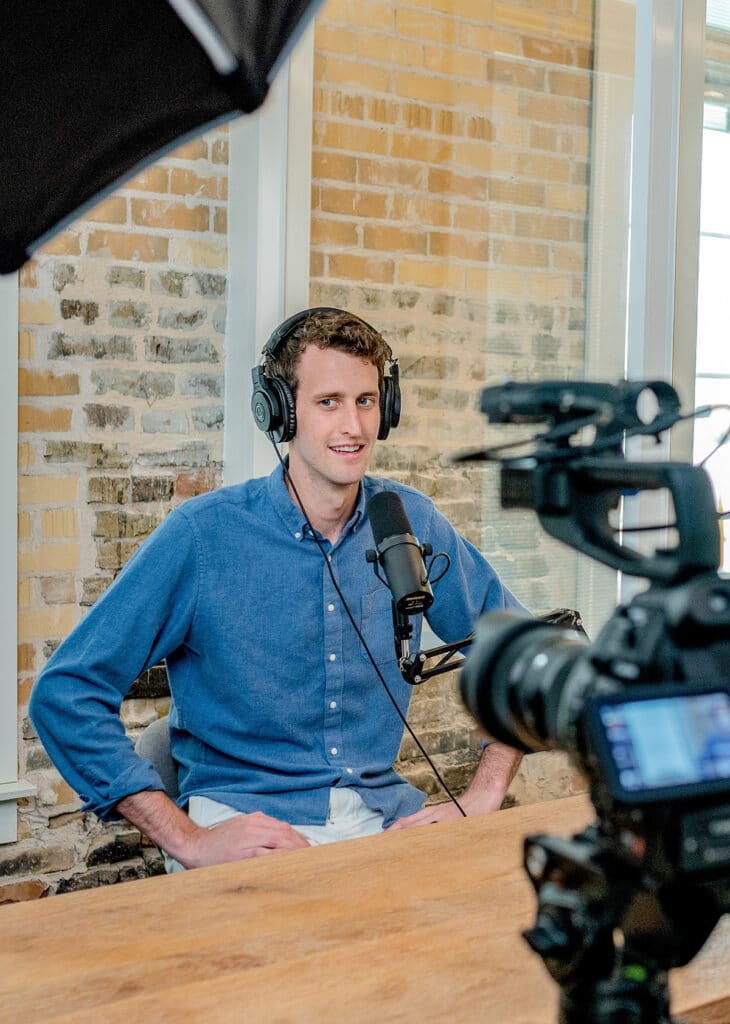
A business coach does not need a studio to communicate authority. She needs clear sound, usable light, a stable frame, and a setting that does not compete with the lesson. Place the camera at eye level, face a window or simple light, test the audio, and remove distractions from the background.
Clear audio matters more than an expensive lens. If the viewer has to fight echo, noise, or inconsistent volume, she will leave before the teaching lands. Upgrade equipment only when a real business need justifies the cost.
Accessibility is part of quality. Add accurate captions, use readable on-screen text and strong contrast, and describe essential visual information when the viewer needs it to follow the lesson. Review automatic captions carefully because names, acronyms, and technical language are often transcribed incorrectly.
Teach with examples, standards, and real decisions
Generic advice disappears quickly. “Nurture your leads” does not show the viewer what to do. Explain what should happen after someone downloads a resource, replies to an email, sends a direct message, or books a call. Name the timing, owner, message, and next step.
Stories work when they carry the lesson. A military example about mission planning can clarify strategic sequencing. A logistics story can show why handoffs fail. An after-action review can demonstrate how to improve performance without blame. Use the story to make the decision clearer, not to decorate the content.
Proof must remain accurate. Do not imply guaranteed results, invent a client outcome, or use a testimonial without permission. The Federal Trade Commission guidance on endorsements and reviews explains the standards businesses must follow when using testimonials and promotional claims.
Connect attention to a next step that makes sense
The call to action should match what the viewer is ready to do. A problem-awareness video might invite her to answer a focused question. A process lesson might offer a worksheet. A comparison video might point to a deeper guide. A decision-stage video can invite a conversation when it has established the need and fit.
Give a shit before you pitch. Deliver the value the headline promised. Do not turn every useful lesson into a throat-punch transition to an offer. Trust grows when the next step feels like the logical continuation of the work.
Then build the operating path. Decide what happens when someone comments, sends a message, requests a resource, or submits a form. Capture the person and context in the CRM, deliver what was promised, create the correct follow-up, and continue based on her readiness. Video creates access. Follow-up protects the opportunity.
Measure movement through the client journey
Views tell you that content was distributed. They do not tell you whether the business moved. Evaluate retention, meaningful comments, saves, qualified profile visits, resource requests, conversations, opportunities, and clients influenced by the content.
Read those numbers in context. A video with modest reach can be valuable if it creates three relevant conversations. A viral video can be useless if the audience has no relationship to the offer. The metric must match the video’s mission.
Use a monthly after-action review. Identify the topics that created qualified movement, the points where viewers dropped, the calls to action that earned response, and the handoffs that failed. Keep what is working, repair what is leaking, and stop producing formats that consume time without supporting the business.
A practical 30-day deployment
During the first week, define the buyer, offer, and role video will play in the client journey. Pull ten real questions from recent conversations and group them by buyer stage. Choose four that connect directly to a problem your business is equipped to solve.
In the second week, outline and record the four core lessons. Keep the setup simple and repeatable. Add accurate captions, a specific example, and one proportional next step to each video.
Publish two lessons in week three and two in week four. Repurpose the central ideas for the channels where your buyers already spend time. Respond to substantive engagement and record qualified signals in the CRM. At the end of the month, review business movement and improve the weakest handoff before increasing volume.
The camera is not the strategy
Video marketing for business coaches works when the buyer, message, offer, conversion path, CRM, follow-up, and sales process support the same mission. More filming cannot fix disconnected infrastructure.
If you are creating content consistently and still wondering where the next client is coming from, use the 9-Line Business Roadmap™ audit to locate the missing system, or contact DeBella DeBall Designs. We will build the operating path underneath the content so your visibility has somewhere useful to go.